The Tool for Professional UI Test Automation

QF-Test is a test automation tool for Web, Desktop, Java-based, and Mobile applications that is designed for long-term maintainability and enterprise use.

Pressing the play button will load a video from our external provider YouTube. Privacy Policy

Let’s have a look at QF-Test

A test suite in QF-Test: tree structure with test suite, procedures, component definitions, detail view on the right | Example use case: Day 1 on the project: you have recorded your first tests and want to structure them. Here you can see how even a grown suite stays clear and organized – test cases, reusable procedures and component information in one place, without file chaos.

QF-Test welcome screen: links to demo video, quickstart, tutorial, manual, FAQ, demo suites | e.g. for the first start after installation – no empty interface, no guesswork. The welcome screen takes you straight to the right entry point, whether you prefer to watch a video or get started right away.

UI inspector with example suite: record/replay, low-code editor, tree structure of the recording | Use case: you are testing a new web interface and want to quickly check whether a form works correctly. Not a single line of code required: start recording, perform your clicks, done. The result is immediately editable – not just a complicated script.

Emulator / test suite structure: test sets, test cases, procedures, component information, detail view | In practice: three months later: the team has grown, and so has the suite. A new colleague wants to adapt an existing test case. The tree structure immediately shows where test logic ends and reusable building blocks begin – no need to dig into unfamiliar code.

Test debugger: step-by-step execution, breakpoints, variable values | Real-world use: a test fails sporadically – but only on the CI server. With the integrated debugger you run the test step by step, inspect variable values at runtime and find the cause before the next meeting starts.

Run log with error: test run log as a tree structure, error messages, detailed information | Day to day: after the nightly test run, the run log shows: 3 of 47 tests failed. Instead of searching through log files, you expand the affected branches – the error message, a screenshot at the moment of failure and the exact step are immediately visible.

HTML report: overview of successful/failed/skipped tests, durations, error messages, screenshots | Use case: sprint review in an hour: the product owner wants to know whether the new feature runs reliably. You send the HTML report – no QF-Test needed to open it, no explanation needed. Green is green.

Also available in dark mode: the QF-Test welcome screen – it contains a number of helpful links to the main entry points such as demo video, quickstart wizard, tutorial, manual, FAQ and demo suites.

Creation of automated tests without programming in dark mode: you can quickly create and replay your first tests via record/replay – no programming skills required. The recordings are fully editable in our low-code editor and you can add to and modify them at any point. The test run is presented in a clear tree structure.

Stable UI testing in dark mode: QF-Test reliably recognizes even complex elements such as dynamic trees and tables. The tests are tolerant to changes in the graphical user interface. This results in low maintenance effort and high reusability of the tests, the most important factor in software test automation. Thanks to the new SmartIDs, objects such as buttons or text fields are addressed even more directly, and it becomes possible to write tests before the application under test is fully developed (test-driven development).

Test debugger in dark mode: the integrated test debugger proves very useful for step-by-step test execution. It also allows setting breakpoints, continuing a test run at a different position, inspecting variable values, etc.

Run log with error: all detailed information and results of a test run are stored in the run log. Also presented as a tree structure, it allows easy handling and is the central resource for error analysis.

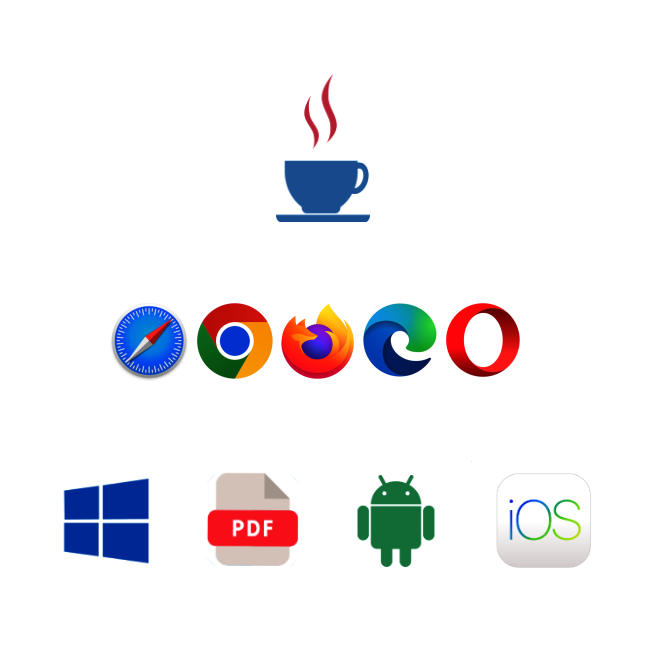
Supported QF-Test technologies: Java, Web, Android, iOS, Windows
The supported technologies

Interested in QF-Test?

Tell us about your project, and we’ll personally show you how QF-Test can support you.

Our experts analyze your website using QF-Test in accordance with WCAG guidelines

Free Web Accessibility Check with QF-Test

More than 1,500 customers appreciate QF‑Test!

Software GmbHGK SoftwareAmadeusAdcubumCerticonESO European Southern ObservatoryvaadinAtruviaMünchner VereinOtto GroupBison Schweiz AGBroadcom Inc.Cursor Sowftware AGSwiss Life AGTibcoFlowJoEuropean Space AgencyLendscapeUnit4innovasGofore GmbH neé eMundoTAC The Assistant CompanyHF Mixing GroupCentris AGSciformaDONAT ITPhilips Medical SystemsPlanonRJ Lee GroupSkyguideTick-TSZend Framework
Testing worldwide
Over 9,000 QF-Test licenses in more than 1,500 companies and 60 countries in use.
Joy of testing
QF-Test tests itself every night with more than 20,000 test cases.
Established tool
QF-Test has been refined for 20 years and has been on the market since 2001.
Quality First Software
Quality made in Germany – excellent support in English

Next free QF-Test special webinar

No special webinars are pending right now.

All webinars

We are specialists for any kind of UI test automation

Automate your Web, Java, Windows, Android and iOS tests! Our tool and support team look forward to hearing from you.

Quick start for everyone

Get first test results fast with the Quickstart wizard that recognizes your application’s technology automatically, and if required, we provide support.

Tool for QA engineers and developers

QF-Test is user-friendly and easy to use for users without programming knowledge. Users with a developer background get their money’s worth with scripting.

Everything you need for successful UI test automation!

Reliable object identification
QF-Test stands for robust component recognition & infrequent maintenance.
Daily regression tests
Monitoring of the test results for documented good software quality & a good feeling..
Flexible integrations
Common tools like Jira, Jenkins, databases, Git can be linked with QF-Test.
Customizable report
Individualizable tests

What clients say about QF‑Test and our support team!

“QF-Test makes it easy to automate the tests. A lot of things have been taken care in the backend to make the user’s life comfortable.”
Shivam Trehan,
Software Test Specialist, Ravensburg, Deutschland
“QF-Test is the best automated UI testing tool and has the best support team I ever saw.”
Huawei Luo,
Developer, Tibco Software Inc., USA
“We are very happy and look forward to further automation projects with QF‑Test.”
Jörg Riebschläger,
Test responsible, KOLUMBUS, innovas GmbH, Deutschland
“With QF‑Test even colleagues without programming knowledge can create UI tests.”
Alexander Orbach,
HF MIXING GROUP, Deutschland

Direct contact is very important to us!

Just contact us whenever questions arise:
via email to service@qftest.com or phone + 49 8171 38648-10.

Recent updates

We use "Matomo" cookies to anonymously evaluate your visit to our website. For this we need your consent, which is valid for twelve months.

Cookie Configuration

Functional cookies

We use functional cookies to ensure the basic functionality of the website.

Performance and statistics cookies

We use Matomo for analyzing and optimizing our website. Cookies permit an anonymous collection of information that help us offering you a clear and user-friendly visit of our web pages.

Cookie details
Description Vendor Lifetime Type Purpose
_pk_id Matomo 13 Months HTTP Contains a unique, pseudonymized visitor ID internal to Matomo for recognizing returning visitors.
_pk_ref Matomo 6 Months HTTP Used to track from which website the anonymized user proceeded to our website.
_pk_ses Matomo 1 Day HTTP The Matomo session cookie is used to track the visitor's page requests during the session.
_pk_testcookie Matomo Session HTTP Used to check whether the visitor's browser supports cookies.
_pk_cvar Matomo 30 Minutes HTTP Temporarily store data about the visit.
_pk_hsr Matomo 30 Minutes HTTP Temporarily store data about the visit.